
Error Message
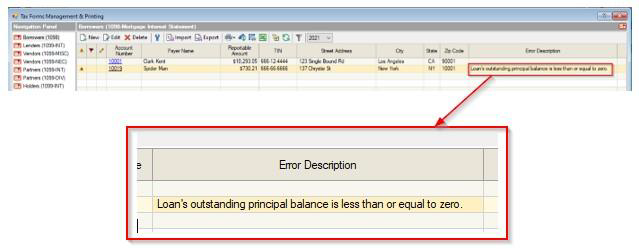
When generating tax forms, you may encounter the following error:
"Loan's outstanding principal balance is less than or equal to zero."
Desktop
TMO Pro:
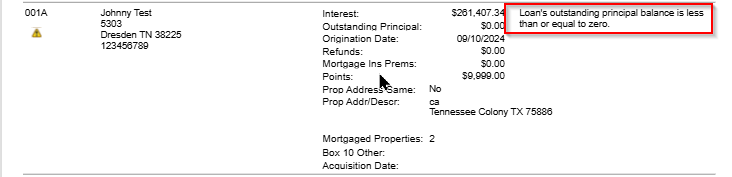
This error prevents tax forms from being generated for the affected loan(s).
What Causes This Error?
This error occurs when a loan was Closed or Purchased (Acquired) within the tax year, and the system attempts to pull the Principal Balance as of either the Closing Date or the Purchase Date.
Desktop: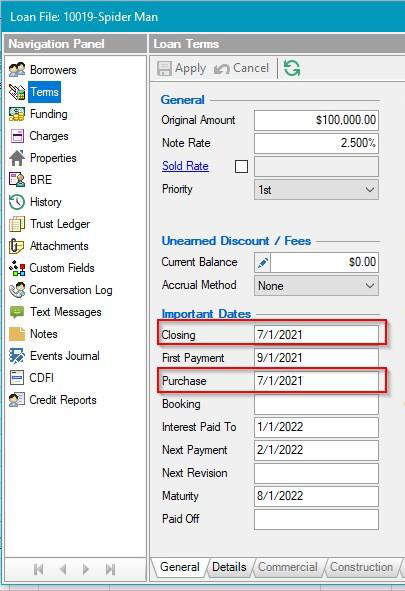
TMO Pro:
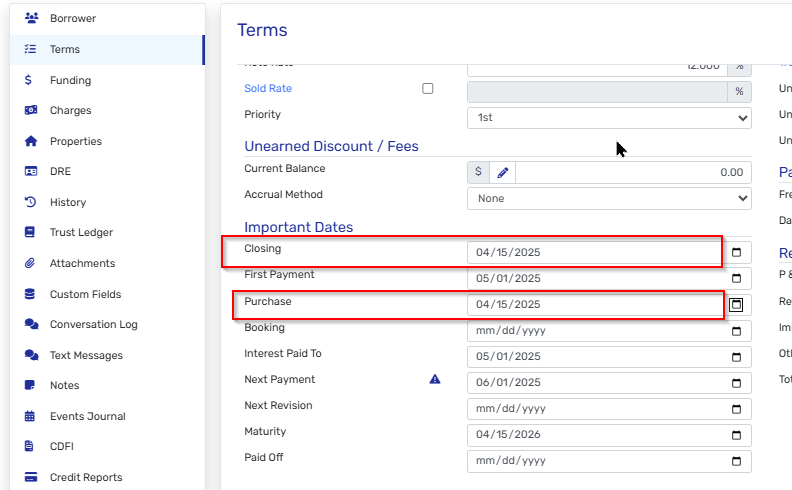
The problem: These dates are set prior to the Funding Date, which means the Principal Balance is zero at those dates since the loan hadn't been funded yet.
How to Verify the Issue
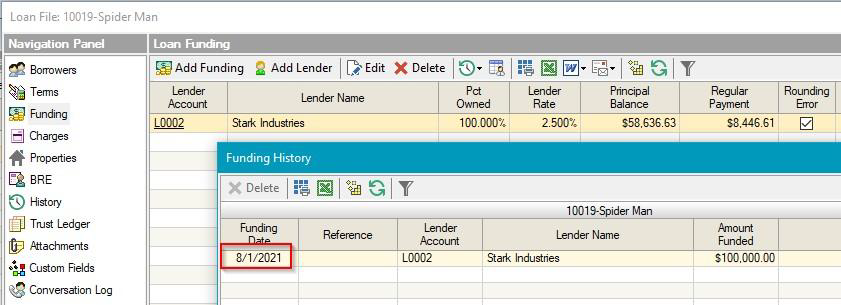
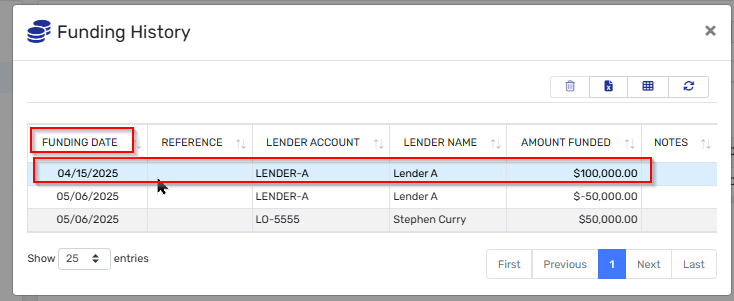
You can confirm this is the cause by checking the funding history:
Desktop:
TMO Pro:
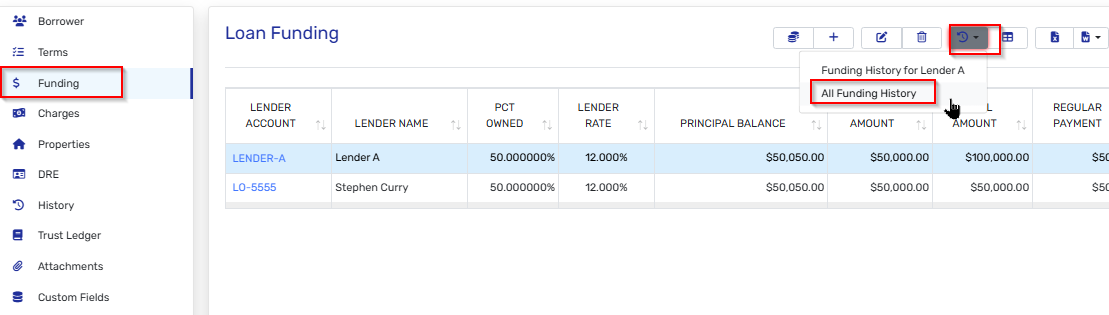
- Open the affected loan file
- Navigate to Funding in the navigation panel
- Click All Funding History
- Compare the Funding Date with the Closing Date and Purchase Date shown in the Loan Terms
If the Closing/Purchase dates are earlier than the first Funding Date, this is causing your error.
Resolution Steps
Step 1: Adjust the Dates
- Open the loan file
- Go to Terms in the navigation panel (or Loan Terms tab)
- Locate the Important Dates section
- Adjust the Closing Date and/or Purchase Date to match the Funding Date
- Click Apply to save your changes
Desktop:
TMO Pro:
Step 2: Re-import Tax Data
After adjusting the dates, you must re-import the tax data for the correction to take effect:
- Return to Tax Forms Management & Printing
- Re-import the tax data for the affected loan(s)
- The error should now be resolved
Need Additional Help?
If you continue to experience issues after following these steps, please contact TMO Support with your loan file details and screenshots of the error.