
What is TIN Matching?
TIN Matching is a feature in TMO intended to ensure that TIN type, TIN number, and name are all in alignment within TMO. When these data points are misaligned, IRS penalties can quickly stack up, but with TIN matching in TMO, you can capture these issues before the IRS does.
TIN Matching automatically picks up all applicable records across Pro, including:
- Borrowers
- Lenders
- Vendors
- Partners / Holders
- Any corresponding Alternate Tax Info associated with those records
Where can I find TIN Matching?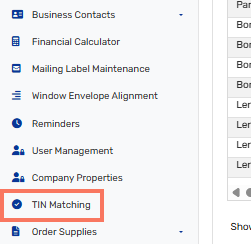
You'll find the option for TIN matching on the left menu, near the bottom of the menu. If you do not see TIN matching available on your account, please contact your Account Manager to check about activating this functionality for your account. If you are unsure of your Account Manager, please contact our Support team and they'll be able to assist you in finding the best contact.
After your Account Manager has enrolled your account, and a Supervisor has accepted the IRS consent, TMO will automatically populate the TIN Matching grid and begin submitting records to the IRS.
NOTE: Each matching cycle typically takes 1 - 3 business days.
What should I do when errors occur?
When errors occur, you'll see an Error status in the TIN Matching grid, with further details about the issue reflected as well. Once you've identified the appropriate action to take next, links will be available for that record to take you to the related page so you can make the correction and save the change to the appropriate record.
What are some potential errors?
Some of the errors you may encounter are:
- TIN missing or not 9-digit numeric
- TIN not currently issued
- No match found in IRS records
- Invalid match request
- Duplicate match request
- Missing TIN type
- Entity Name is over 40 characters or missing
- Unknown TIN type match found only on SSN
- Unknown TIN type match found only on EIN
- Unknown TIN type match found on both SSN and EIN
- Unknown validation status
What happens after errors are corrected?
After correcting the TIN type, TIN number, or entity name, TMO will automatically queue the record for the next IRS matching batch. No manual submission required.
Additional Tax Resources: