
Before You Start
To link an account, you'll need:
- Account Number for the account you want to link
- Password for that account
Step 1: Log In and Navigate to Your Profile
- Log in to your Borrower Portal
- You'll land on the Overview page showing your current account information
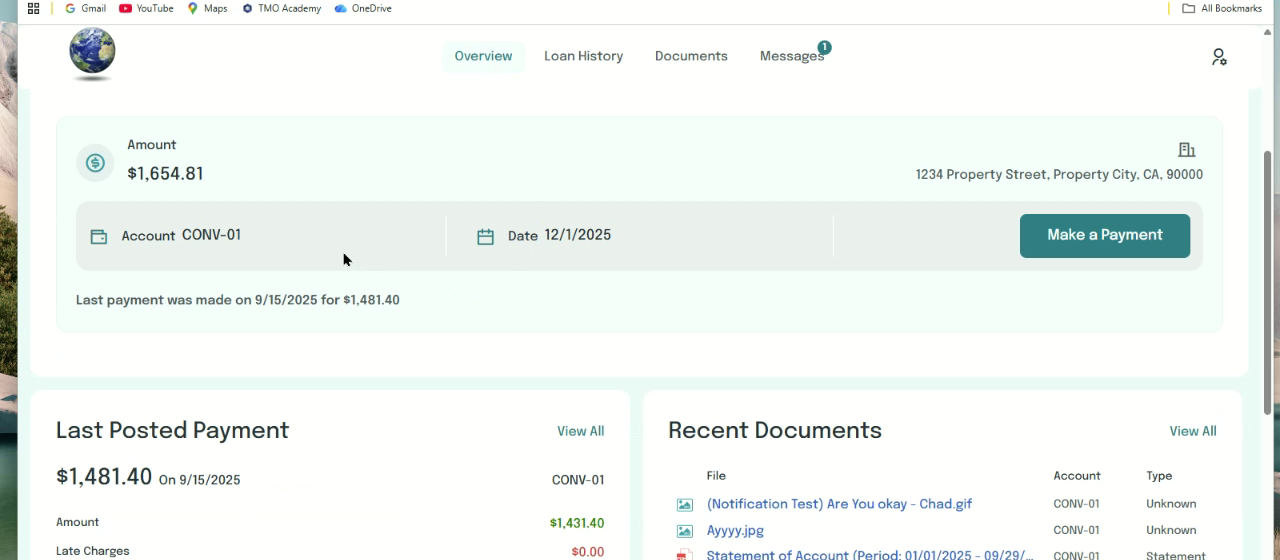
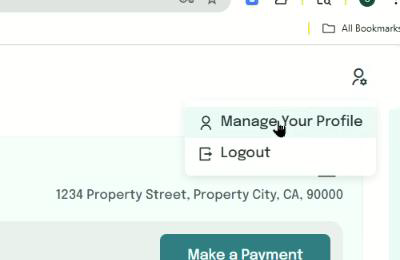
- In the upper-right corner, click the profile icon to open the menu
- Select Manage Your Profile
Step 2: Access the Manage Linked Accounts Section
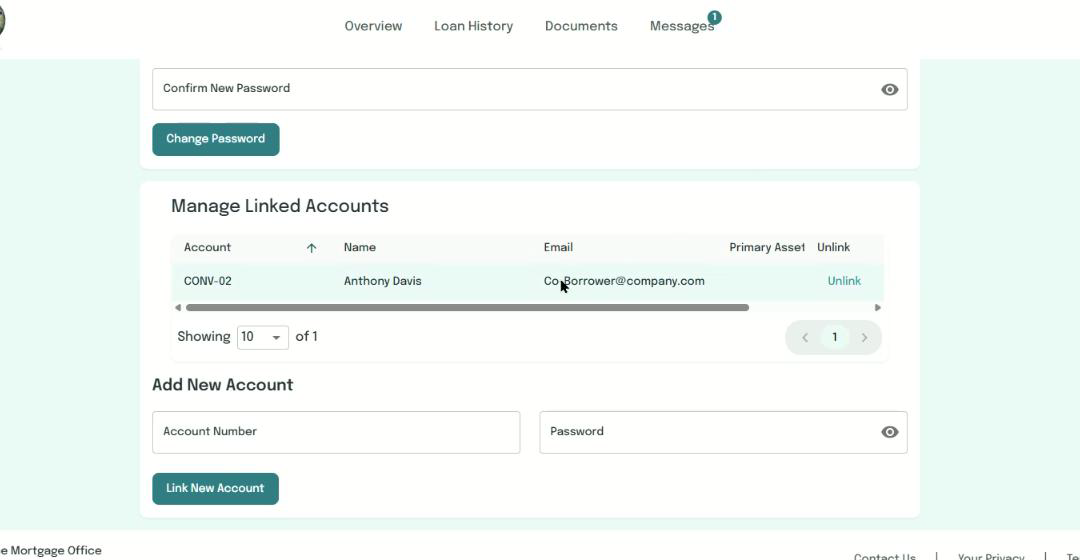
Scroll down to the Manage Linked Accounts section. If you've already linked accounts, they'll appear in the list here.
Step 3: Add a New Account
- Under Add New Account, enter the Account Number you want to link (e.g., CONV-02)
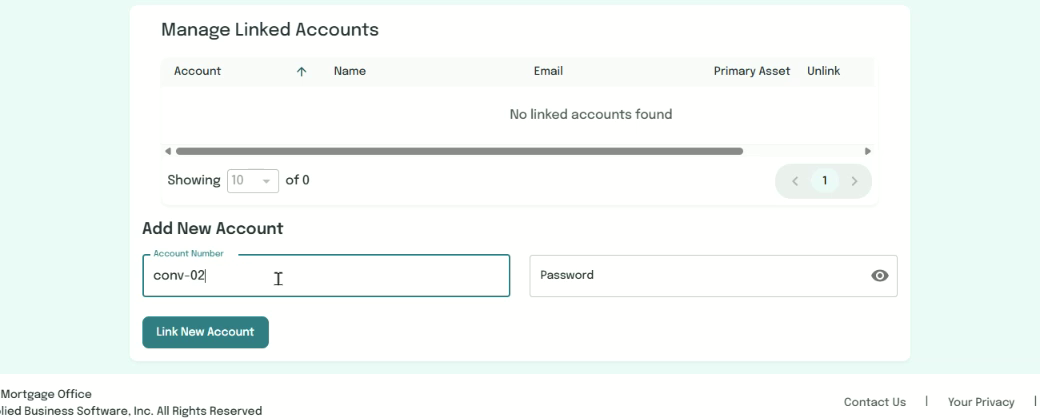
- Enter the Password for that account

- Click Link New Account
Step 4: Confirm the Link
After clicking "Link New Account", you'll see a success message: "Accounts were linked successfully"
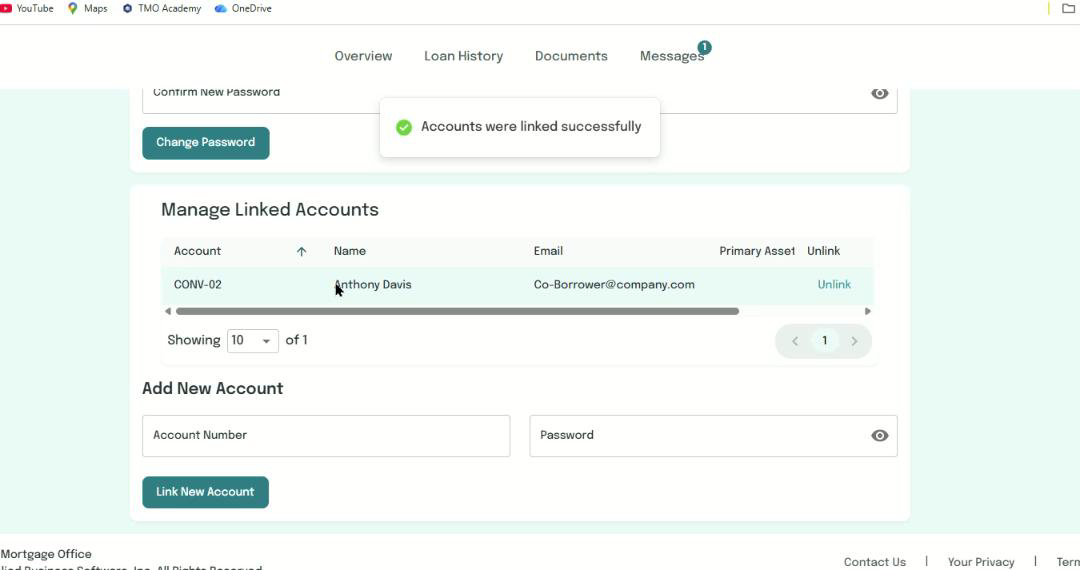
The newly linked account will now appear in your Manage Linked Accounts list, showing:
- Account Number
- Name
- Primary Asset
- Unlink option
Step 5: View All Accounts on Overview
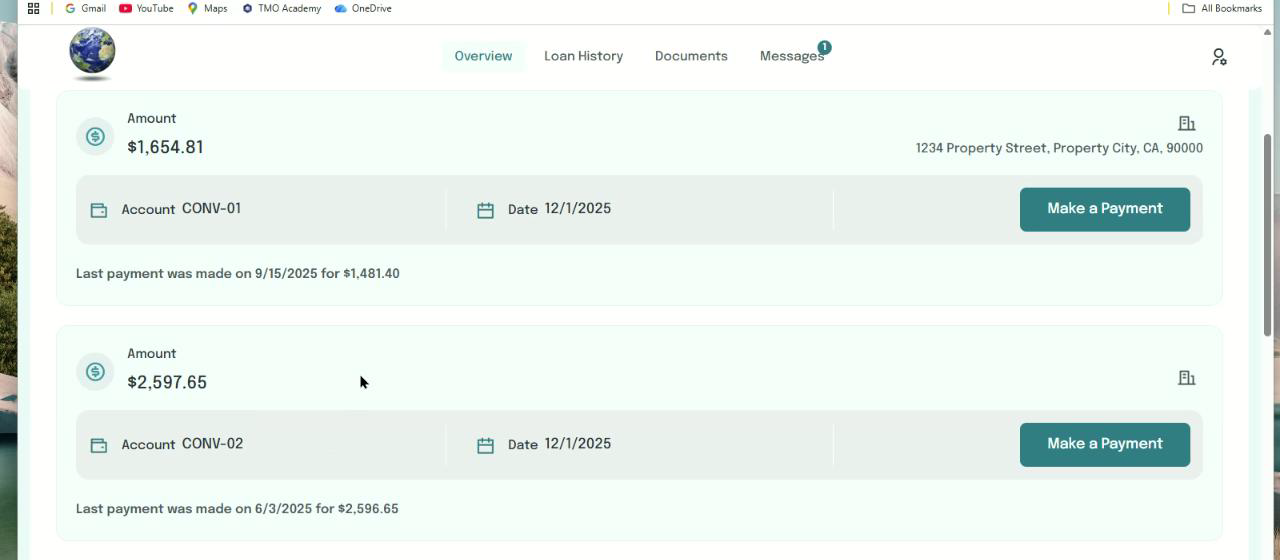
Return to the Overview page. You should now see separate cards for each linked account, displaying:
- Current balance
- Account number
- Next due date
- Last payment information
- Make a Payment button for each account
Key Features
Managing Multiple Accounts
- Link as many accounts as you need
- Each account maintains its own payment history and documents
- Switch between accounts seamlessly from the Overview page
Unlinking Accounts
- To unlink an account, go to Manage Your Profile > Manage Linked Accounts
- Click the Unlink button next to the account you want to remove
For Lenders
- This same process works in the Lender Portal
- Follow identical steps to link multiple lender accounts
Need Help?
If you encounter any issues linking accounts or need assistance:
- Verify you're using the correct Account Number and Password
- Ensure the account you're trying to link is active
- Contact your loan servicer for support